Every hour,
every task,
in one place.
Team Track connects your fingerprint scanner, your tasks and your team chat into one app. Punch in at the door and your timer starts. Finish a task and everyone sees it.
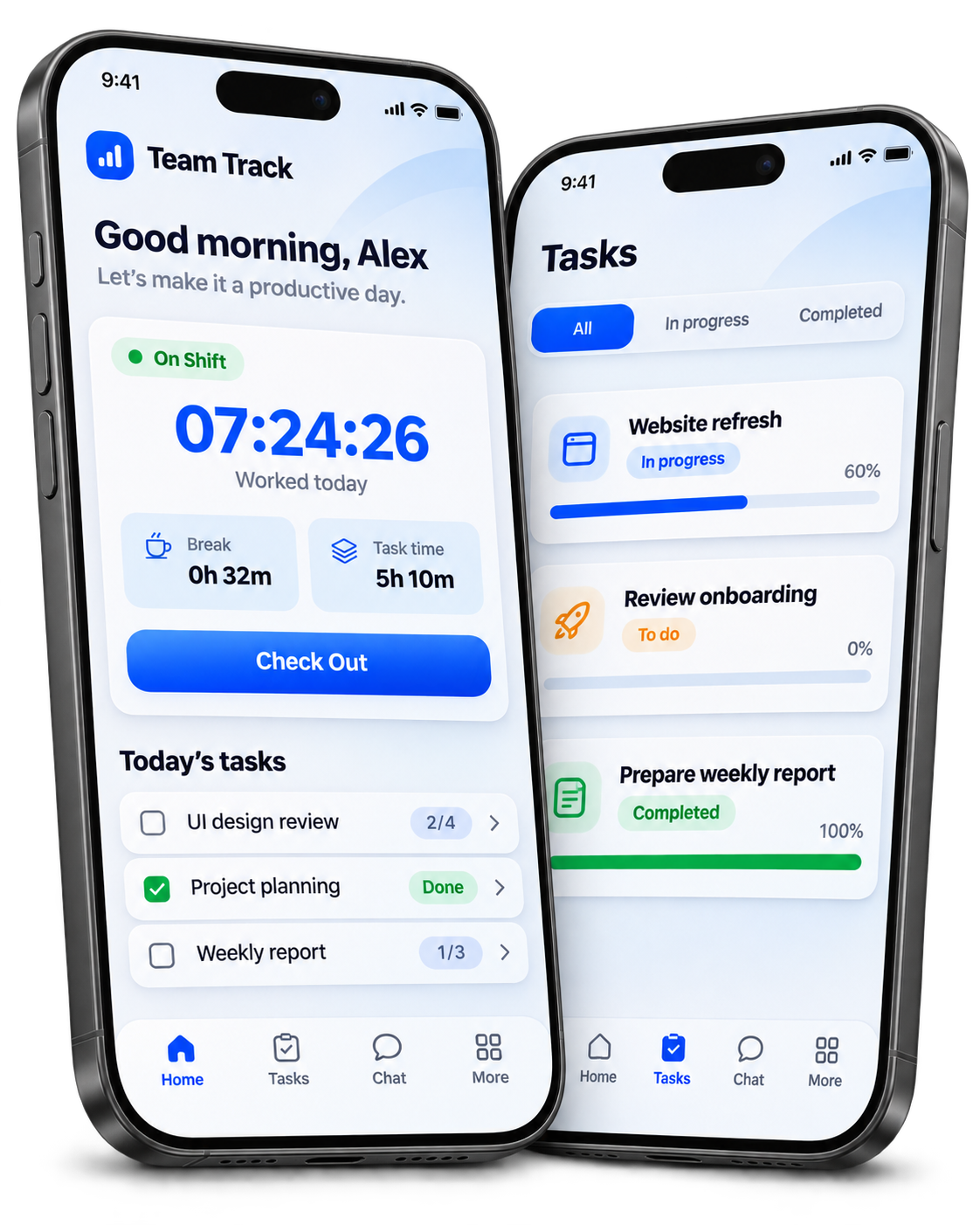 Sample screens · fictional data
Built for how the team actually works
No timesheets to fill in, no spreadsheets to reconcile at month end.
Attendance that runs itself
The fingerprint scanner at the door drives everything. Check in, breaks, check out and overtime are recorded without anyone pressing a button.
Tasks and projects
Assign work, add checklists, track time against it and complete with notes and photos. Project chat sits beside the task list.
Team chat
Direct messages, groups and project channels. Voice notes, photos, files, polls, replies and mentions.
Live analytics
Daily, weekly and monthly views of hours worked, breaks, overtime and punctuality — for yourself and, for admins, the whole team.
Work from home
Book a work-from-home day, check in from your sofa, and the hours count towards your day automatically — breaks included.
On your home screen
A widget keeps today's total, your break time and what is due next in view — without unlocking anything or opening the app.
Up and running in five minutes
Get your team on board and start tracking in no time.
For employees
Open your invite
Your admin sends a link or QR code. It opens the app if you have it, or the web portal if you do not.
Set your password
Your name, role and employee ID are already filled in by your admin.
Scan your finger at the door
That is your check-in. The timer on your home screen starts on its own.
Work as normal
Scan again for breaks and when you leave. Tasks, chat and your hours are all in the app.
For admins
Invite your team
Employees → Add employee. Set their role, department and employee ID; they cannot change those themselves.
Map the fingerprint IDs
Enter each person's enrolment number from the scanner as their Device ID so punches reach the right record.
Set your working rules
Check-in and checkout times, grace period, working days, when overtime begins, and holidays.
Review the month
Analytics show hours, overtime and punctuality per person. A missed punch or a wrong day is fixed in a couple of taps.
On your phone or in the browser
Same account everywhere. What you do on one appears instantly on the other.
We are on the same floor
Something not working, a punch missing, or a question about your hours? Talk to your admin, or email us.
[email protected]